VoiceGlide Get the app

Teleprompter for iPhone

Your script follows your voice

Read right under the lens. VoiceGlide scrolls the script as you speak, then captions the take so you can post.

See how it follows

Coming soon to the App Store

Speech
On device
Video
4K
Free takes
3
AI scripts
3
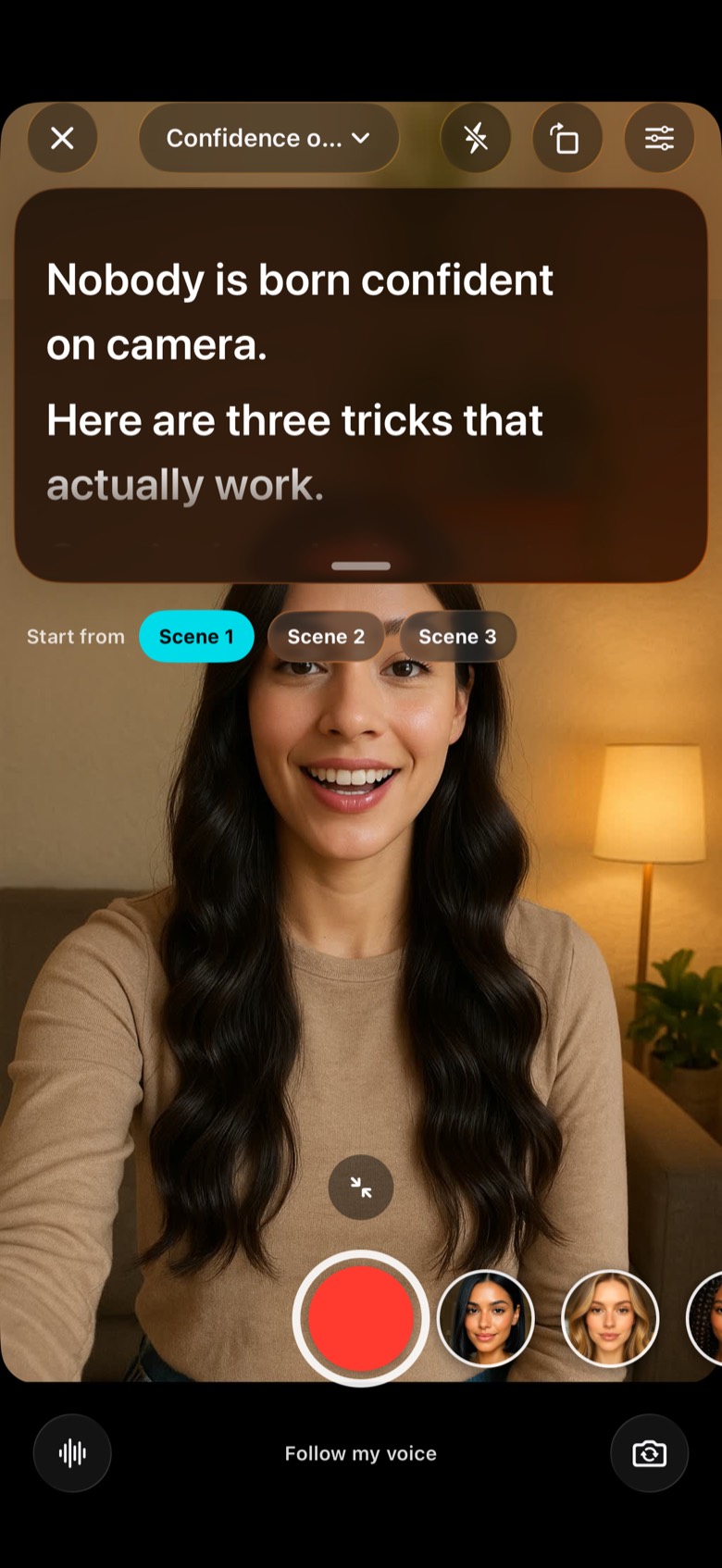
VoiceGlide camera with the script “Nobody is born confident on camera” scrolling over the preview, set to Follow my voice

Voice follow

The script stays with you.

Speech recognition runs on the iPhone, so the prompter keeps your place while you look at the lens.

On-device speech
Follow works offline. The audio of your read stays on the phone.
A steady pace
Use fixed speed, or finish the script in the time you set.
Scenes
Start again from one scene when a line needs another take.
Type you can read
Lexend and OpenDyslexic, plus size, spacing, margins and colour.

Ideas

A topic before the camera.

Open the app to a prompt, a streak and a shape for the video. Rehearsing the scroll is free, with no recording.
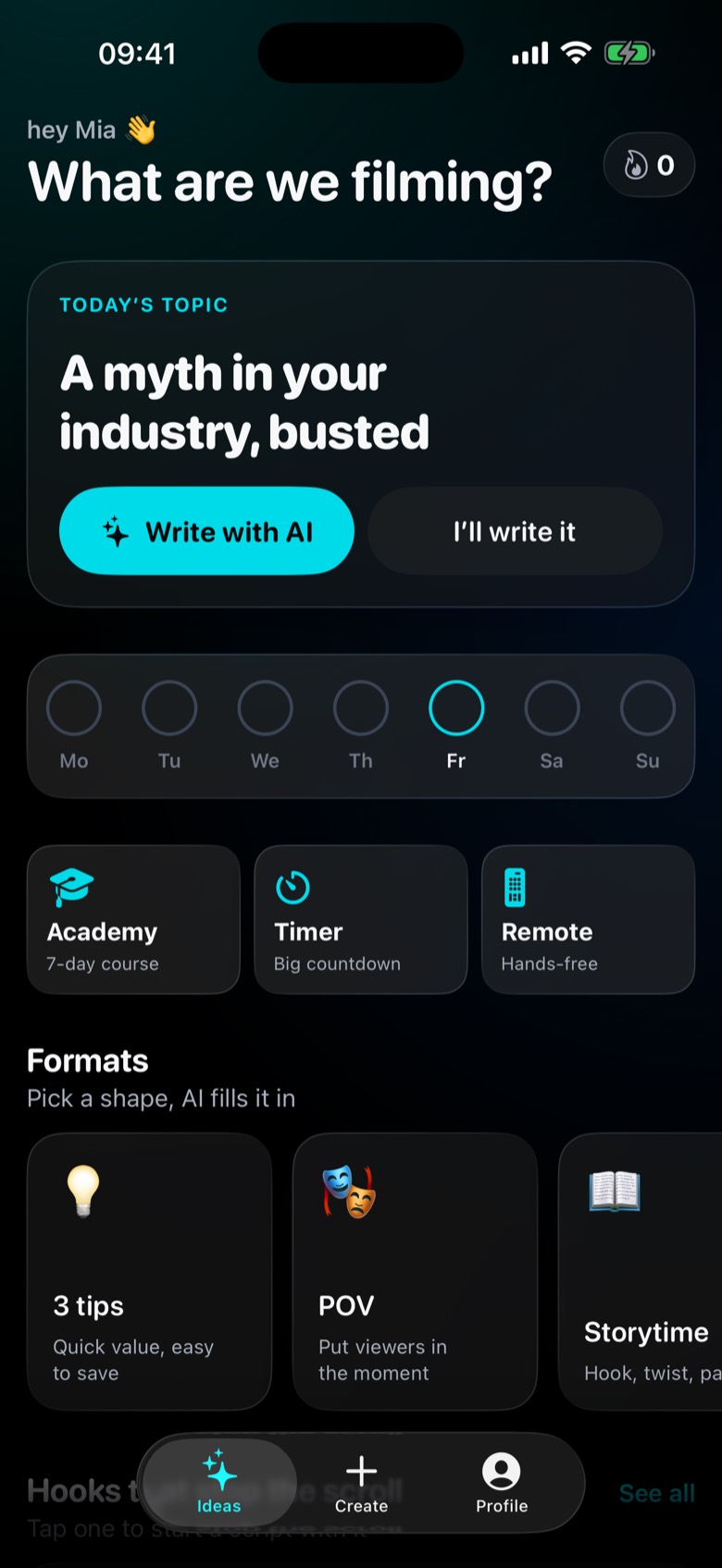
Today’s topic
A fresh idea each day, with hooks you can start from.
Formats
POV, Storytime, 3 tips and the other shapes you already post in.
Import
Bring in PDF, Word, Pages or plain text, including bold, italic and colour.
Ideas screen with today’s topic, a week streak and formats such as 3 tips, POV and Storytime

Write

A topic becomes a script.

Start from today’s idea, a format or a file you already have. AI drafts in the length and tone you pick.
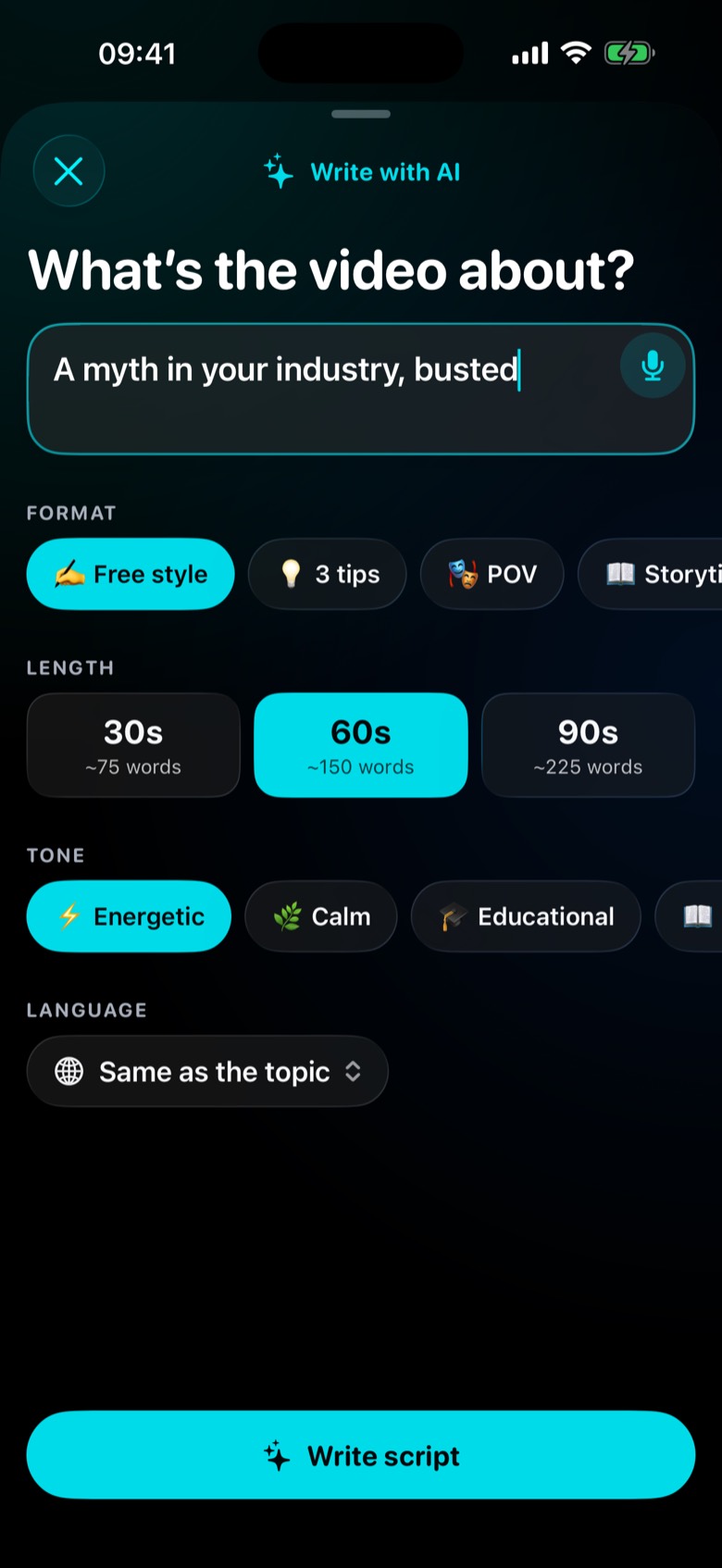
Format, length, tone
Free style, 3 tips, POV or Storytime, from a 30-second read up to 90.
On the device when it can
With Apple Intelligence, the draft stays on the iPhone. Otherwise it is written through our server and not stored.
Three free scripts
After that, more drafts need VoiceGlide Pro. Rehearsing stays free.
Write with AI sheet set to Free style, 60 seconds and an energetic tone

After the take

Caption it, then post.

The same take can leave with word-by-word captions, a tighter cut and the frame each app expects.

Word-by-word captions
Styles you can save, plus an .srt file when you need it elsewhere.
Cut the pauses
Trim, crop to 9:16, 1:1, 4:5 or 16:9, and clean up the audio.
Up to 4K
24, 30 or 60 fps, front or back camera, with safe zones for TikTok, Reels and Shorts.
Hands-free
A clicker, keyboard, foot pedal, second iPhone, or any browser on the same Wi-Fi.

Free and Pro

Start with three takes.

Free

Film a few videos and see if the scroll fits how you talk.

  • 3 saved or shared recordings
  • 3 AI scripts
  • Rehearsing, with no limit
  • On-device voice follow

VoiceGlide Pro

For a regular posting habit.

  • Unlimited saved recordings
  • Unlimited AI scripts
  • Captions, cuts and backgrounds on every take
  • Exports, including .srt

Weekly or yearly auto-renewing subscription. Prices are shown in the app before you buy and vary by country. Cancel anytime in your Apple Account settings.

Read it under the lens.

The script moves when you do. Your eyes stay on the camera.

Coming soon to the App Store for iPhone